Ordinary Align
A vocal alignment plugin for doubles, stacks and backing vocals. Drop in the lead and the double, and the double’s timing follows the lead, syllable by syllable — its pitch and its character stay exactly as sung.
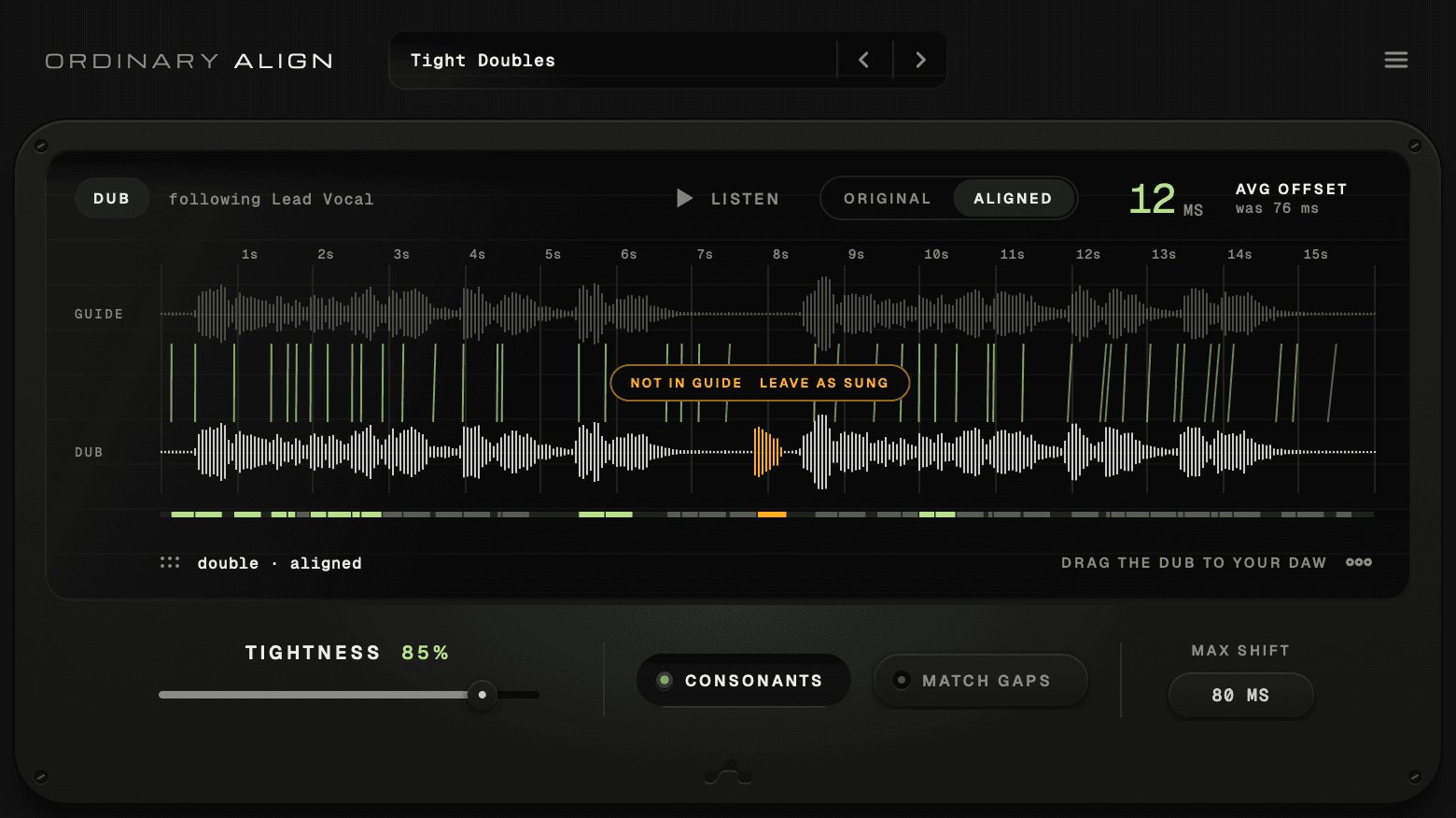
Before and after
Every syllable, on the lead’s beat.
The green lines tie each syllable of the lead to the same syllable in the double. Before, they lean. After, they straighten up — and the strip under the double lights up where it now lands with the lead.
76ms
Avg offset · As sung
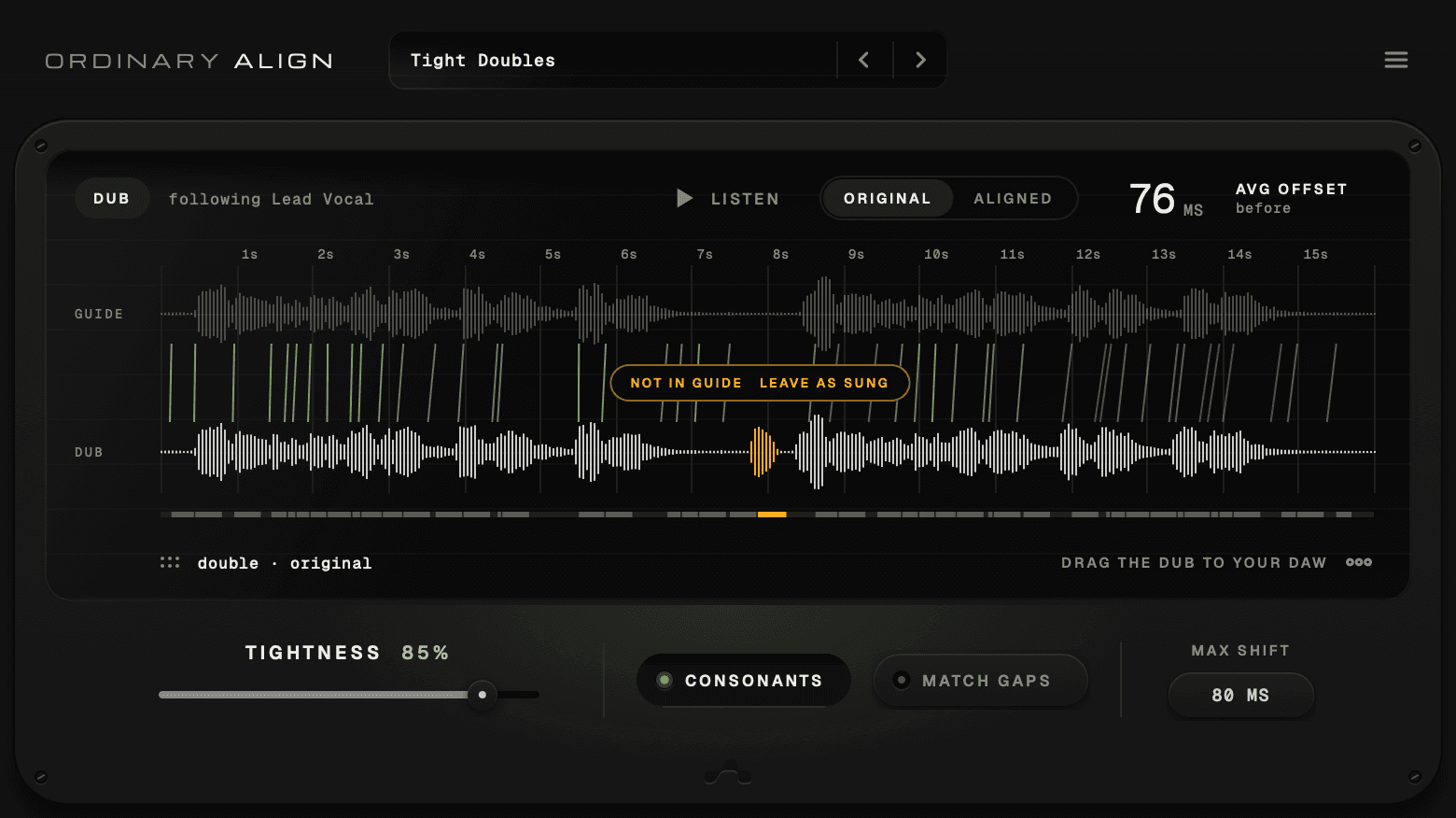
The plugin’s own screen, on a lead vocal and a double with one extra ad-lib.
How to align vocals with it
Two drops and a drag.
01
Drop in the lead
Bounce the lead vocal — the take everything should follow — and drop it on the top lane. That’s the guide.
02
Drop in the double
Drop the double on the bottom lane. Ordinary Align matches the two, syllable by syllable, on its own.
03
Listen, then drag it back
LISTEN plays both together. Flip between ORIGINAL and ALIGNED, then drag the aligned double into your session.
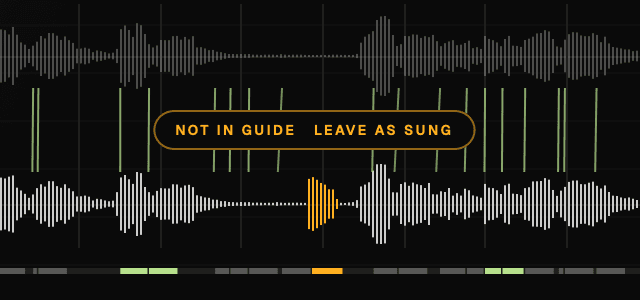
Not in guide
Singers improvise. When the double has something the lead doesn’t — an ad-lib, an extra word, a line the lead never sang — Ordinary Align doesn’t force it into place.
It marks that part in amber, NOT IN GUIDE, and asks. One click on LEAVE AS SUNG keeps it exactly as it was; UNDO brings it back in line.
Details
Tight, but still human.
Perfectly locked doubles can sound like a copy-paste. Every control here is about deciding how close is close enough.
Tightness
From 0%, exactly as sung, to 100%, locked to the lead. Somewhere around 85% keeps the double tight and still alive.
Pitch stays put
Only timing moves. The double keeps its own notes and its own tone.
Max shift
80 ms
20 – 200 ms
A limit on every move
MAX SHIFT caps how far any syllable can travel, so a wild mismatch never drags the double off course.
Hear it before you commit
LISTEN plays the lead and the double together. Flip ORIGINAL and ALIGNED to hear exactly what changed.
- Tight Doubles✓
- Natural
- Locked
- Loose Backing
- Rap Ad-libs
Five starting points
Tight Doubles, Natural, Locked, Loose Backing and Rap Ad-libs — each a different idea of tight.
Gaps stay gaps, unless you say so
By default the silences between phrases are left where the singer left them. Turn on MATCH GAPS to line those up too. Rather not drag? Save the aligned double as a WAV and put it anywhere.
Good to know
What it won’t do.
It doesn’t tune.
Ordinary Align moves time, not pitch. If a double is flat, it will be a well-timed flat double.
It works with files.
Bounce the lead and the double, drop them in, drag the result back. Up to two minutes per take.
It won’t invent what wasn’t sung.
Words the double skipped stay skipped, and extras are flagged for you to decide — never forced.
Specs
- Formats
- VST3 · AU · Standalone
- Platform
- macOS 11 or later
- Input
- WAV · AIFF · FLAC · MP3 · M4A · CAF, up to 2 minutes per take
- Output
- Aligned double as WAV — drag or save
- Controls
- Tightness · Max shift (20 – 200 ms) · Match gaps
- Presets
- 5 starting points
- Pro Tools
- Not yet — AAX isn’t available
Ordinary Align
$59USD
- Syllable-level alignment
- Not-in-guide flags
- Five presets
- VST3, AU and Standalone
- Drag-to-DAW and WAV export
FAQ
Questions, answered.
It takes two recordings of the same part — a lead and a double, or a lead and a harmony — finds which syllable in one belongs to which in the other, and moves the double’s timing so it follows the lead. Ordinary Align only changes timing; the double keeps its own pitch and tone.
From the blog